

SingleStore vs. Elasticsearch
Elasticsearch is a powerful search engine for logs, observability and search experiences. SingleStore is one distributed SQL database for transactions, analytics and search, for applications whose searchable data changes all day.
Comparison as of November 2026, based on Elastic’s website and documentation.
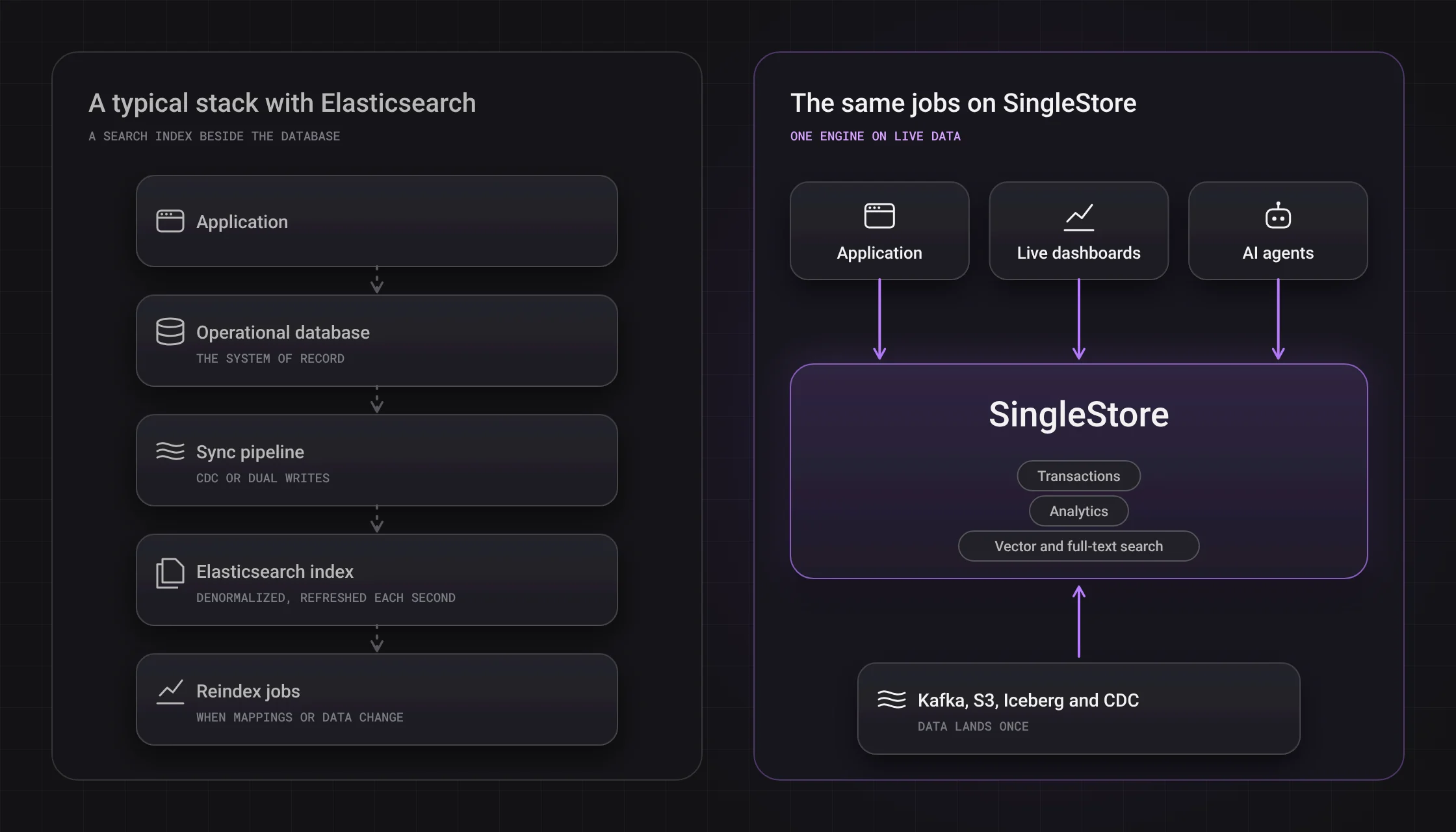
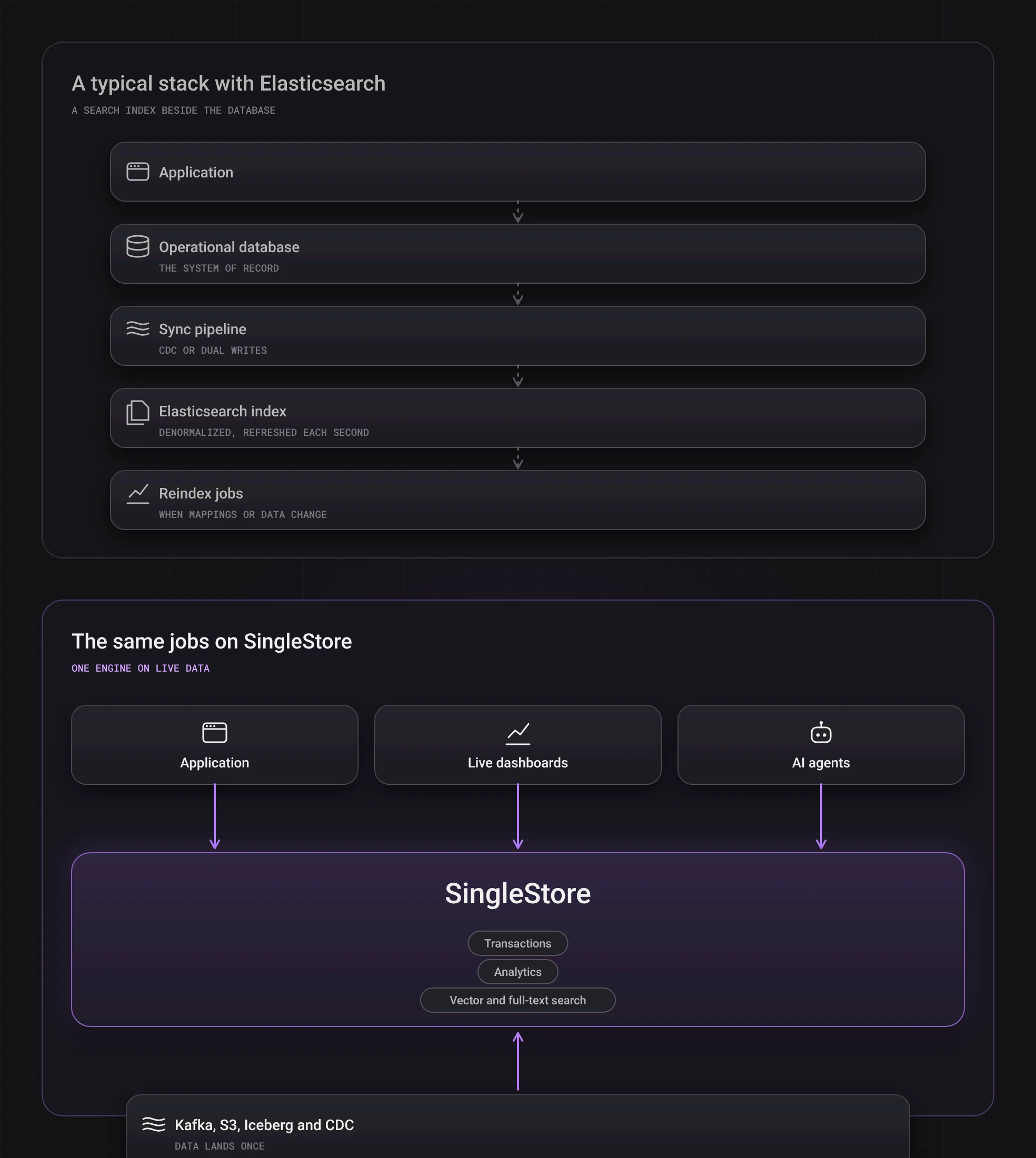
Elasticsearch is fast at search over documents that rarely change. These are the points where applications with changing data, joins and reporting run into trouble.
Each Elasticsearch entry comes from the Elastic documentation or Elastic’s own announcements, listed under Sources at the end of this page.
| Capability | SingleStore | Elasticsearch |
|---|---|---|
Core design | One distributed SQL database for transactions, analytics and search, on one copy of the data. See SingleStore Helios. | A distributed search and analytics engine built on Apache Lucene. The source is available under the AGPLv3, SSPL or Elastic License 2.0, and Elasticsearch 9.5 is the current release. |
Data model and joins | Relational tables with JSON columns, joined in SQL across tables of any size. | JSON documents in indices, usually denormalized. ES|QL LOOKUP JOIN enriches results from single-shard lookup indices. |
Scaling | Data and writes are distributed across the nodes of a cluster, with every table sharded automatically. | Indices split into shards and replicas across the nodes of a cluster. A long-standing strength. |
Updates and transactions | ACID transactions with enforced primary and unique keys. See Universal Storage. | No multi-document transactions, with optimistic concurrency per document. Changing an existing field’s mapping means reindexing. |
Freshness | A committed write is visible to the next query, for search and analytics alike. | Near real-time: new documents become searchable after a refresh, every second by default and every 5 seconds on Elastic Cloud Serverless. |
Analytics on live data | A columnstore with vectorized execution on the same tables as the transactions. See query performance. | Aggregations and ES|QL. A columnar mode is in technical preview in 9.5. |
Vector and full-text search | Full-text and vector indexes on the same tables, combined with SQL filters and joins in one query. See hybrid search. | Lucene full-text search with deep relevance tuning, vector search with BBQ quantization, and hybrid ranking with reciprocal rank fusion. A long-standing strength. |
Query language and tools | ANSI SQL over the MySQL wire protocol, so SQL clients, BI tools and MySQL drivers connect directly. | The Query DSL, ES|QL and a read-only SQL interface, with Kibana for dashboards. |
Pricing model | Compute billed per hour by cluster size, from $0.99 an hour on Standard, plus storage. A free Shared cluster for development. See pricing. | Elastic Cloud Hosted is priced by resources and subscription tier and Serverless by usage. Some self-managed features need a paid subscription. |
Certifications | ISO 27001 and SOC 2 Type 2. See the Security and Trust Center. | Elastic Cloud publishes its own certifications. Self-managed deployments depend on the environment you run them in. |
Accurate at the time of publication, November 2026, when Elasticsearch 9.5 was the current release. Elastic ships a minor release about every quarter, so confirm current capabilities, availability and pricing on elastic.co and in the Elastic documentation. Sources for each Elasticsearch entry are listed at the end of this page. Spotted something out of date? Tell us.
Both run as a managed service or in an environment you control.
| Where it runs | SingleStore | Elasticsearch |
|---|---|---|
Managed cloud service | SingleStore Helios® on AWS, Azure and Google Cloud. | Elastic Cloud, hosted or serverless, on AWS, Azure and Google Cloud. |
Your own data center | SingleStore Self-Managed, in single-node or multi-node clusters. | Self-managed Elasticsearch, on any hardware. |
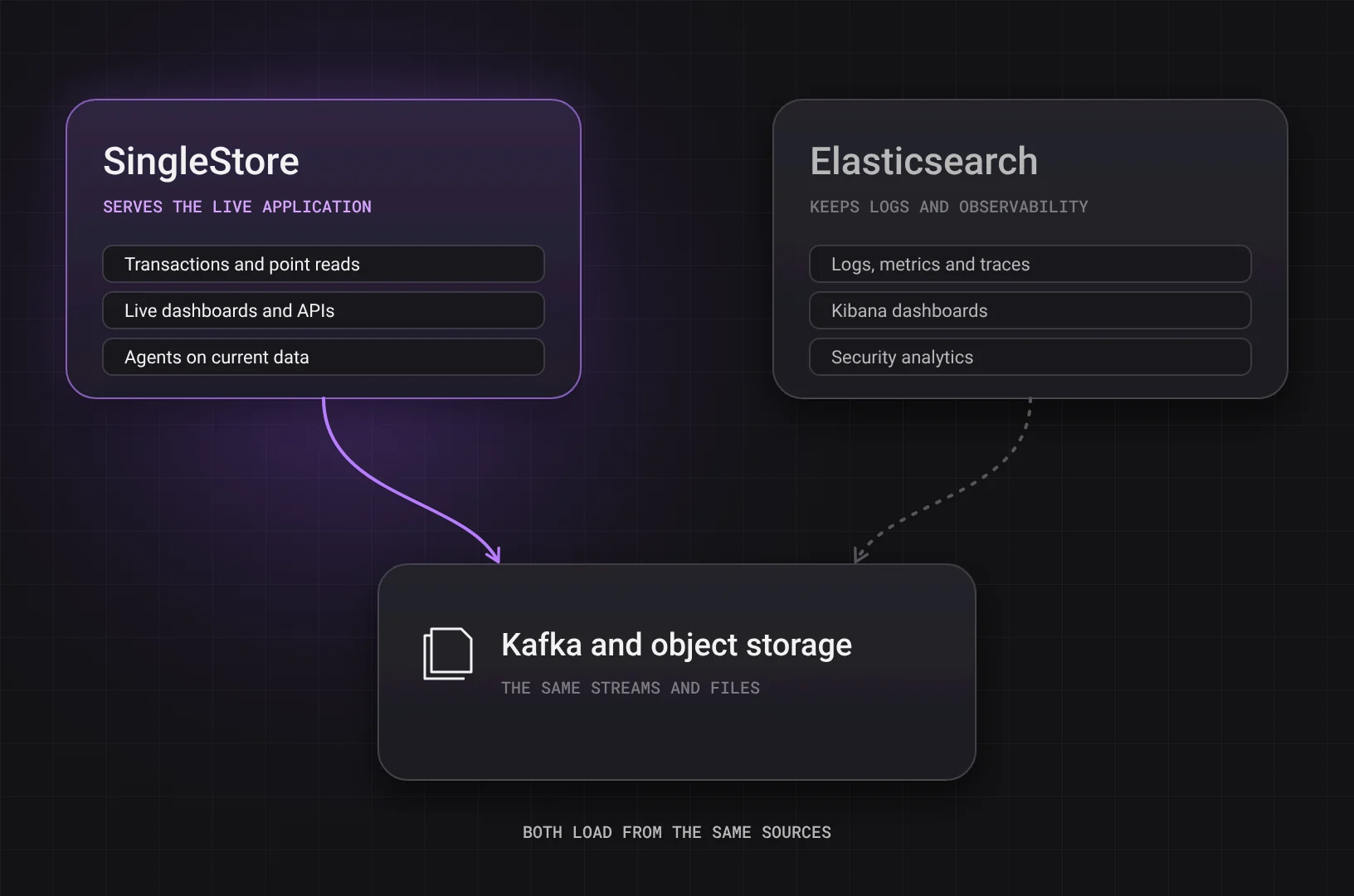
Many teams keep Elasticsearch for logs, observability and security analytics, where the Elastic Stack and Kibana fit well, and move the application data that changes often into SingleStore.
Both can load from the same Kafka topics and files. In SingleStore, updates, full-text and vector search, and SQL analytics run on the same tables, so there’s no second index to keep in sync.
For search inside an application, often yes. SingleStore has full-text indexes with BM25 ranking and vector indexes, combined with SQL filters and joins in one query. Elasticsearch offers more relevance-tuning features and a larger search ecosystem, so test your queries and ranking first.
Yes. Many teams keep Elasticsearch and Kibana for logs and observability, and run application search and analytics in SingleStore. Both can load from the same Kafka topics.
It adds lookup joins. LOOKUP JOIN, generally available since 9.1, enriches results from a lookup index, which is always a single shard of up to about 2 billion documents. Joining two large, changing datasets still fits a database better.
It improves analytics and vector search, with a columnar mode and a vector-tuned index mode, both in technical preview in 9.5. Updates still write new copies of documents, and there are still no multi-document transactions.
For analytics and joins on data that changes often, Armis saw queries that timed out on Elasticsearch finish in under 10 seconds on SingleStore. For keyword search over documents that rarely change, Elasticsearch is fast. The fair test is your own workload, so talk to an engineer about running it on both.
It reflects both products as of November 2026, when Elasticsearch 9.5 was the current release. Check the Elasticsearch release notes for changes since then, and tell us if something here is out of date.
Elasticsearch source documentation: elastic.co, Elastic documentation, LOOKUP JOIN, 9.1 release, updating mappings, optimistic concurrency, near real-time search, aggregations, Elasticsearch 9.5, AGPLv3, SSPL or Elastic License 2.0, ES|QL, vector search, BBQ, SQL interface, Elastic Cloud, Elastic Cloud, Elasticsearch release notes.

Bring your slowest Elasticsearch query.
See it run on SingleStore.
Talk to an engineer about your workload, or start free on a Shared cluster.