

Fall 2026 release: one dataset, hundreds of clusters.
Zero Copy Cross Cluster Database Attach lets a cluster read a database that another cluster owns, so every team, application and AI agent queries the same live data on its own compute. The release also adds F16 vectors, UPDATE and DELETE … RETURNING, Kinesis pipelines and continuous backup, each listed below.
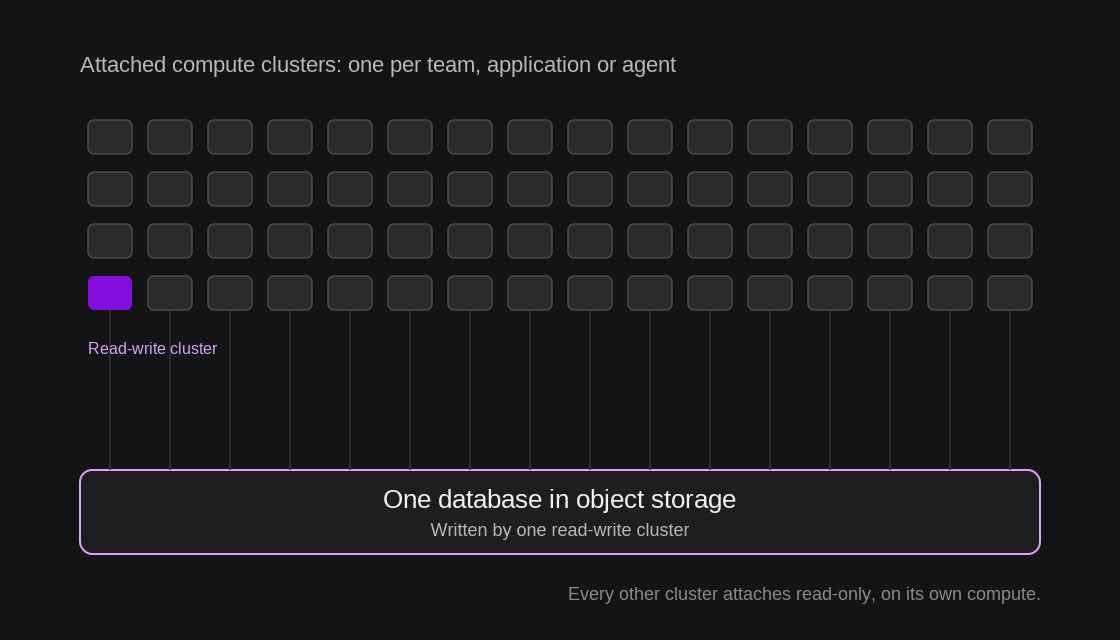
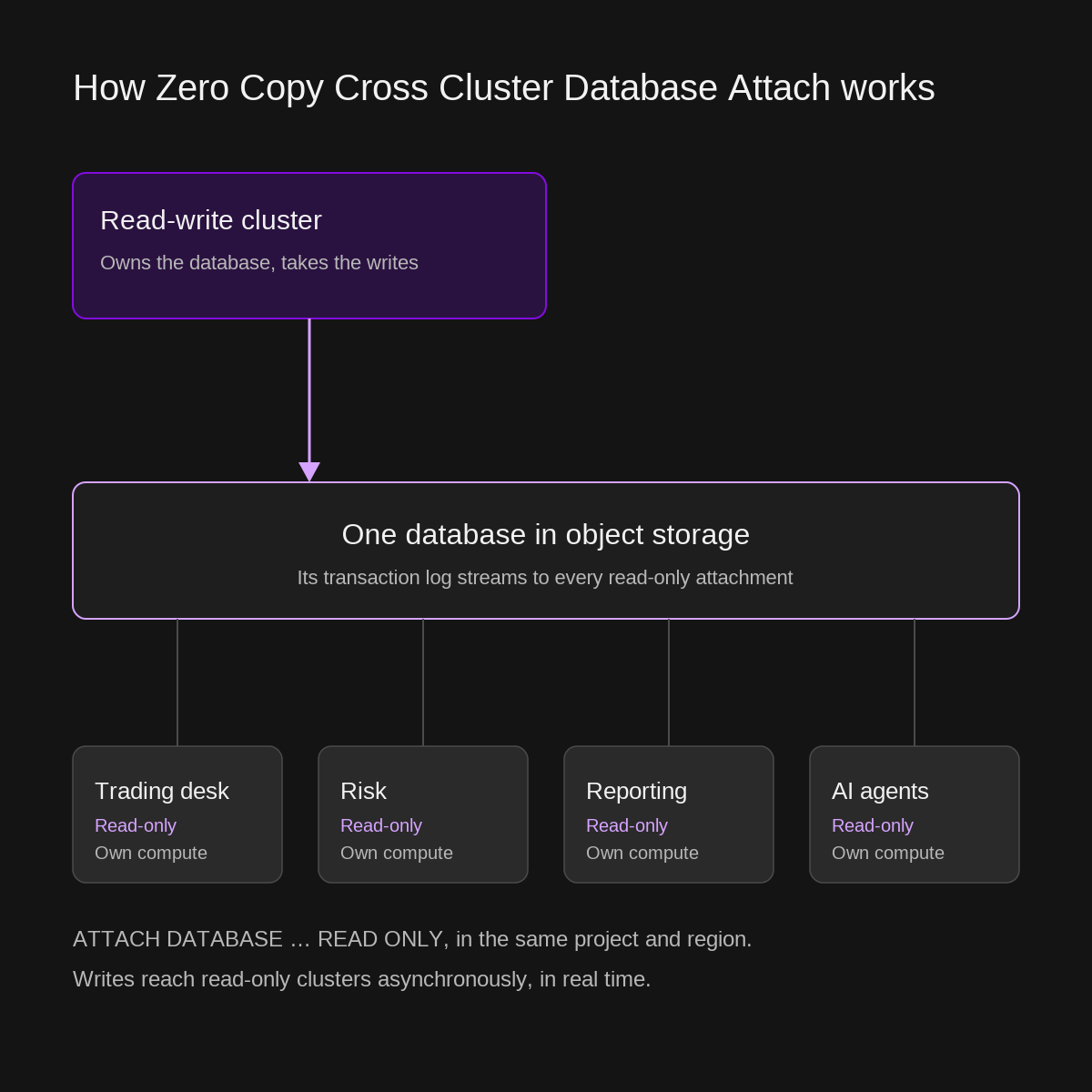
Run ATTACH DATABASE … READ ONLY on a cluster, and it reads a database that another cluster in the same project and region owns. The owning cluster keeps the one read-write attachment. A database can have many read-only attachments, and writes reach them asynchronously in real time.
Reporting, risk models and AI agents each run on their own cluster against current data, with no ETL pipeline to build, and a heavy query on one cluster does not slow the others. A global investment bank shares core financial datasets, including live positions, across hundreds of isolated compute clusters this way.
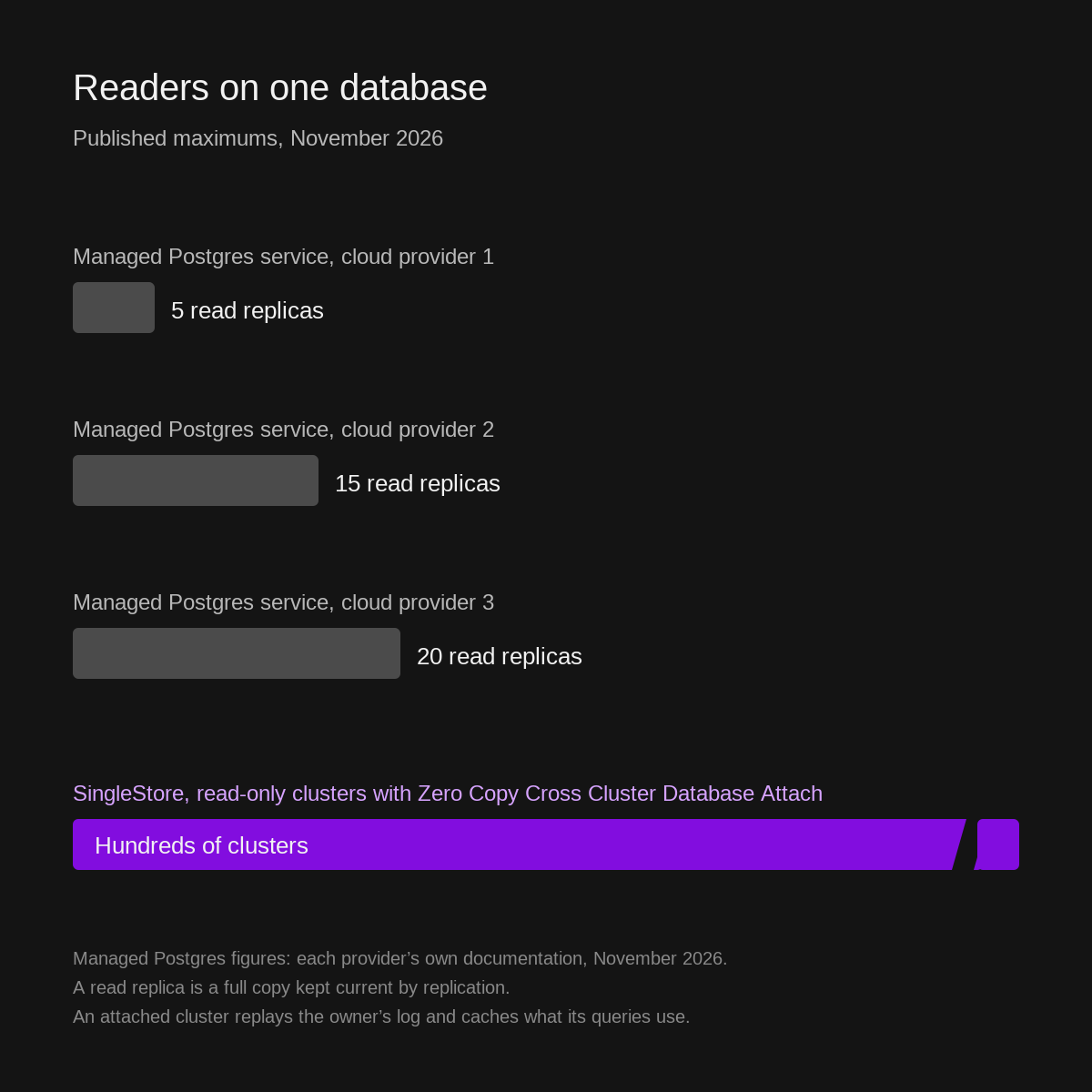
The managed Postgres services from the largest cloud providers cap read replicas at five to 20 per database, according to their own documentation. Each replica is a full copy kept current by replication, and past the cap, teams copy the data into another system with its own pipeline.
An attached cluster replays the owning cluster’s log and caches the data its own queries use. You size each cluster for its workload, and add clusters into the hundreds as teams need them.
UPDATE and DELETE … RETURNING
Change or delete rows and get the affected rows back in the same statement. Check-then-act logic no longer needs an extra SELECT or a second table scan.
Pipelines for Amazon Kinesis
Load Amazon Kinesis streams into SingleStore tables with a pipeline built on the Kafka Connect framework, with no Kafka cluster to run in between.
Mutual TLS for Kafka pipelines
SingleStore and your Kafka brokers authenticate each other with certificates, which many security reviews require before a pipeline reaches production.
F16 vectors
Store embeddings as 16-bit floats with the new F16 vector element type, including ANN indexes. They take about half the storage of 32-bit vectors, with similar search speed and recall.
Queries on encoded columnstore data
More operations, including filters on JSON integer attributes, run directly on encoded columnstore data, so queries read and decode less.
Continuous backup and point-in-time recovery
SingleStore Helios® streams every change to object storage without slowing running workloads, and you restore to any point in the retention window yourself.
Writable views with joins
Writable views now accept joins and subselects, and applications can write through nested views, so a view can limit which rows and columns an application changes.
Undo a running ALTER
ALTER TABLE … UNDO POPULATION cancels a columnstore table change that is still running, without restarting the cluster.
Memory usage by consumer
The MV_MEMORY_USAGE information schema view reports memory use and lists the largest memory consumers on the cluster.
Usage and forecasting
Review past usage in Helios, forecast future consumption and simulate resource changes before you commit to them.
A read replica is a full copy of the database that replication keeps current. An attached cluster reads the database that another cluster owns in object storage, replays its log and caches only the data its own queries use.
No. A database has one read-write attachment and can have many read-only attachments. A read-only attachment can be promoted to read-write in a failover.
Any Helios cluster in the same project and region. The attaching cluster needs at least one core for every eight partitions in the database, and enough memory and cache for the data its queries touch.
Andrew Koller and Eric Hanson demonstrate it in a 45-minute webinar on Wednesday, Dec. 9, 2026, at 9 a.m. PT, with live questions at the end.
Zero Copy Cross Cluster Database Attach is available to every Helios customer. Helios turns on new features in weekly update windows, so Helios clusters already run most of this release on AWS, Azure and Google Cloud, with nothing to install.
Self-managed customers get the engine features in the Fall 2026 release, a standard upgrade with no data migration. Your account team can plan the upgrade with you.

Watch one write reach every attached cluster, live on Dec. 9.
Andrew Koller and Eric Hanson run the release on screen in 45 minutes, with time for your questions.