At a large investment bank, the securities master is read all day by hundreds of clients: trading desks, risk systems, compliance reports and settlement applications. Every one of them needs the current version, because a new listing or a corporate action has to reach every desk at the same time. When the database serving that dataset runs out of room for readers, the bank copies the data somewhere else, and each copy brings a pipeline to run and a delay to explain.
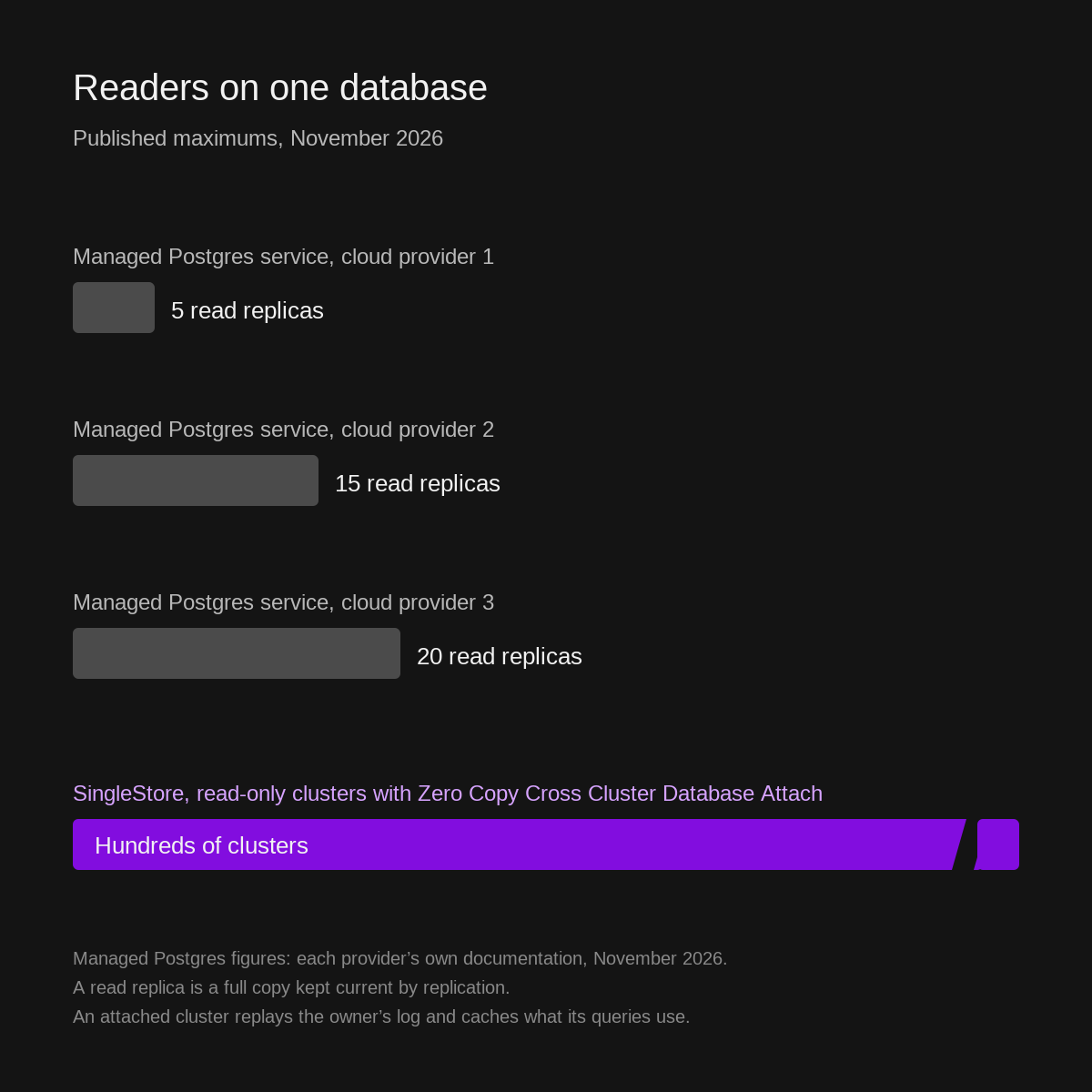
For the datasets most of a company reads, the number of readers a database supports decides how many copies the company ends up maintaining. Managed Postgres services stop at five to 20 read replicas, so past that point every new reader costs a copy and a pipeline. Zero Copy Cross Cluster Database Attach, in the SingleStore Fall 2026 release, changes that arithmetic: a reader becomes a cluster that attaches to the database, and one database can serve hundreds of them.
The shared datasets most of a company reads
Every large company has a few of these datasets. At a game publisher, it is total playtime for every player in every game, derived from billions of events and read by ad targeting, personalization, matchmaking and finance. At a SaaS company, it is the customer record. At a retailer, it is inventory by store. The data is valuable because many applications build on it, and it gets harder to serve for the same reason: every new application adds read load.
AI agents add load faster than teams do. An agent that checks a position, a stock level or a customer’s plan before it acts is one more client reading the dataset, and a company may run many agent sessions at once.
Why read replicas stop scaling for shared data
The usual way to add readers is a read replica: a full copy of the database that replication keeps current. The managed Postgres services from the largest cloud providers cap read replicas at between five and 20 per database, according to their own documentation in November 2026.
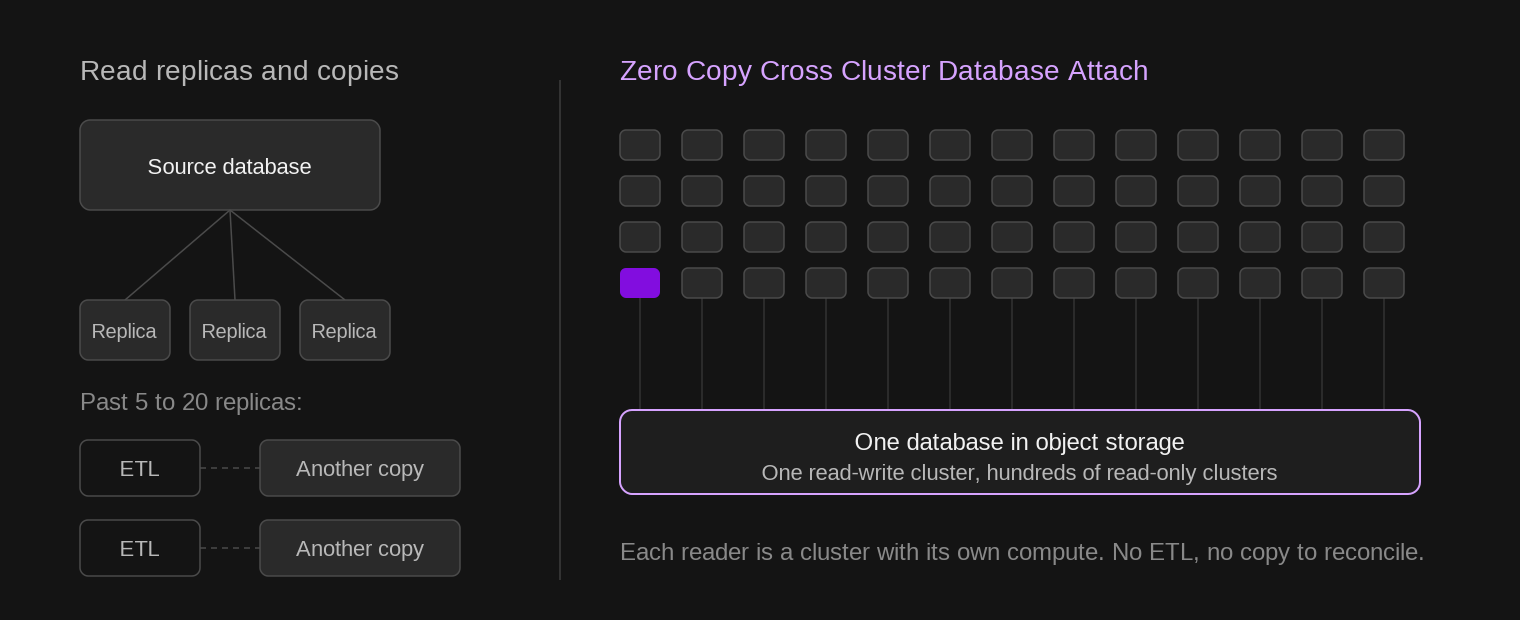
Past that ceiling, teams copy the dataset into another system, such as a warehouse, a cache or a second database, and load each copy with an ETL pipeline. Each copy trails the source by the length of its pipeline, two dashboards built on different copies disagree, and someone owns the job of reconciling them.
Moving the whole dataset into a warehouse trades one limit for another. A warehouse holds any volume of data and runs large scans well, but it is built for a modest number of concurrent queries, and an application serving hundreds of desks needs answers in milliseconds. A single Postgres server serves many users at low latency and runs out of room as the dataset grows. A shared dataset needs the volume and the concurrency at the same time.
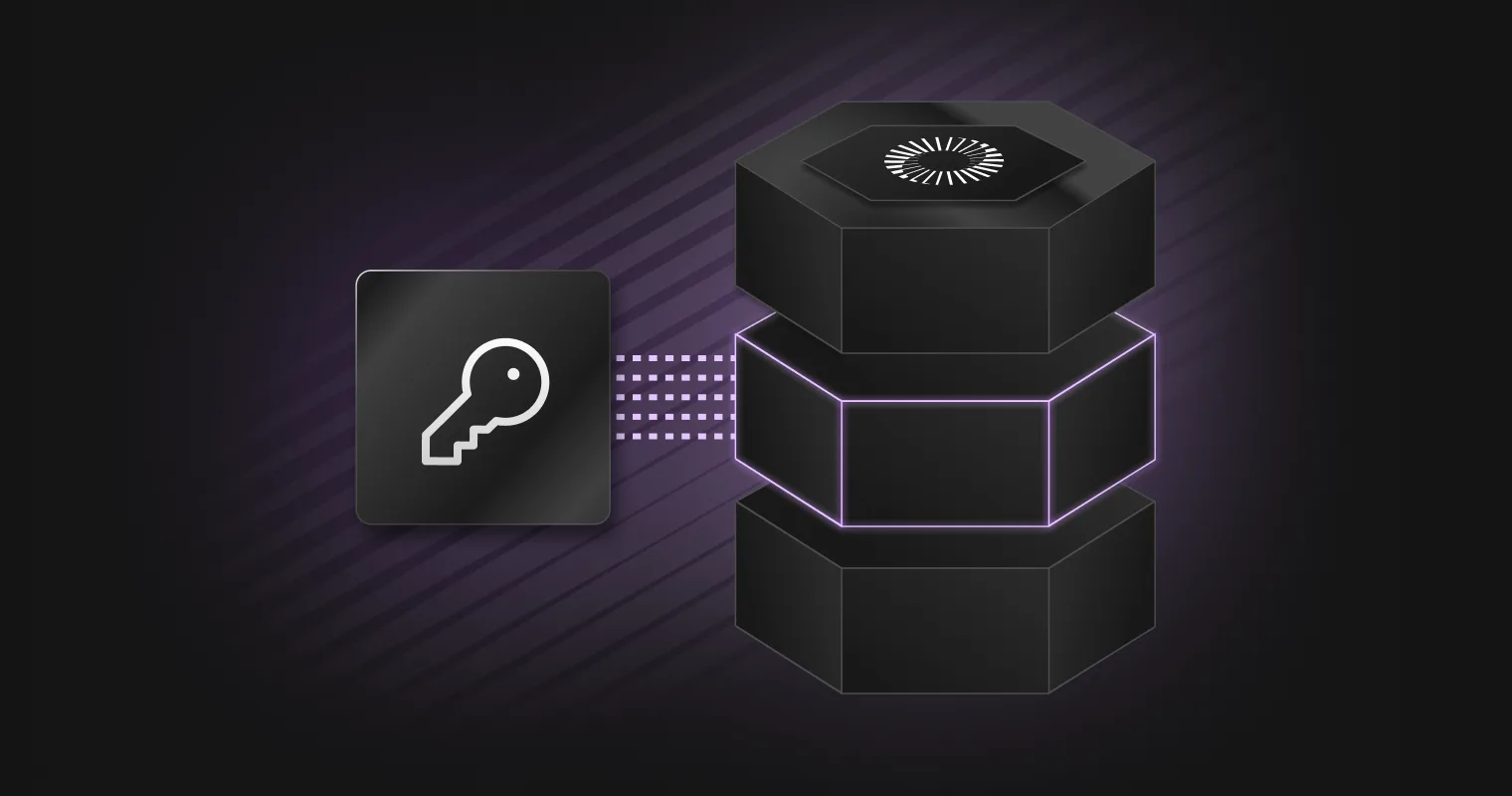
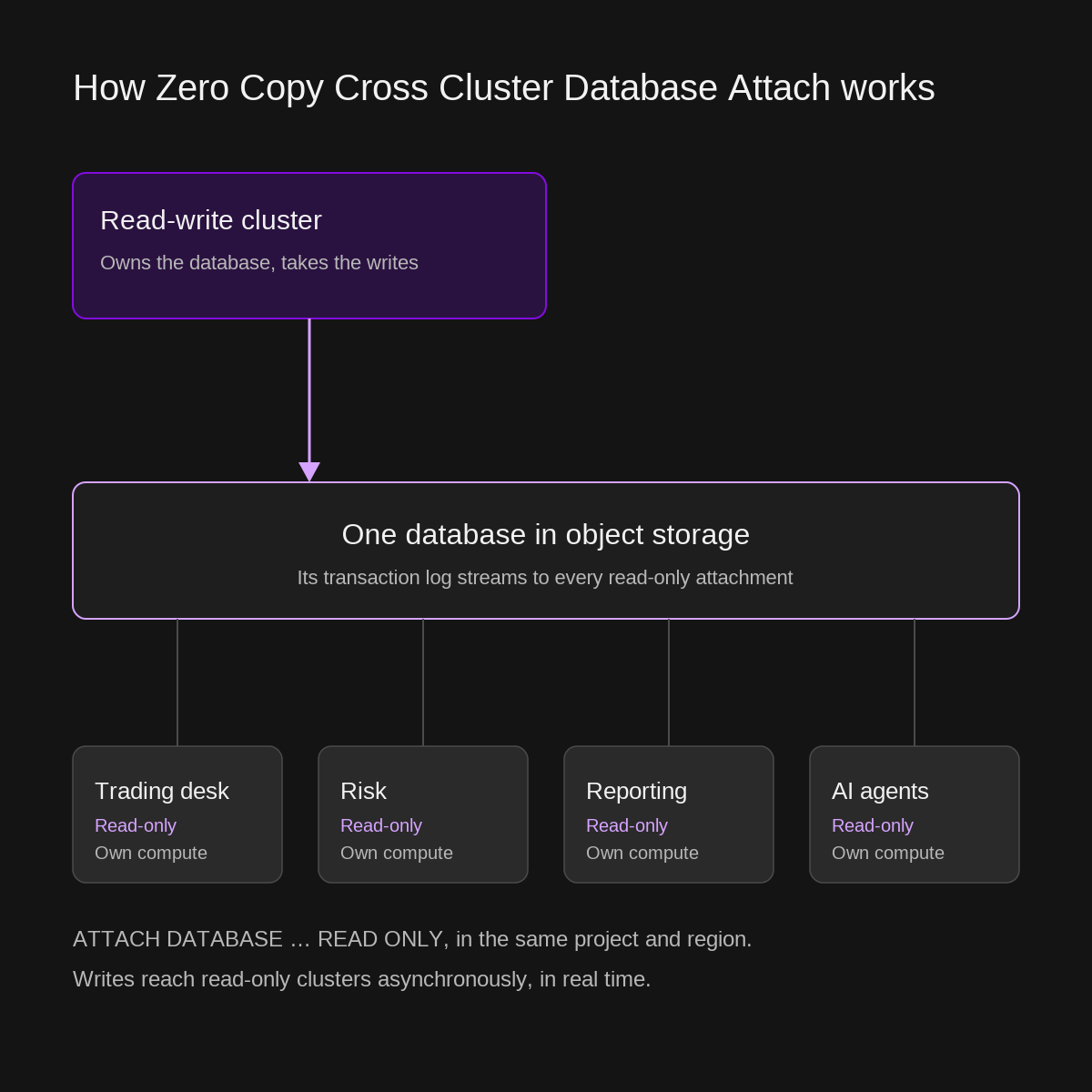
Zero Copy Cross Cluster Database Attach keeps every reader on the one database that takes the writes. Each reader is a separate cluster with its own compute, attached to that database in object storage, so adding readers no longer adds copies or pipelines.
How Zero Copy Cross Cluster Database Attach works in SingleStore Helios
In SingleStore Helios®, one cluster holds the read-write attachment and takes the writes. Any other cluster in the same project and region can attach the same database read-only with one statement:
1-- on the cluster that owns the data (the read-write attachment)2CREATE DATABASE securities_master;34-- on each reader cluster, in the same project and region5ATTACH DATABASE securities_master READ ONLY;
The read-write cluster sends its transaction log to every read-only attachment, and each one applies it asynchronously in real time, so new writes are usually there right away. An attached cluster caches only the part of the database its own queries use. Each cluster runs on its own compute, so a heavy risk model on one cluster does not slow a trading application on another.
A few rules decide how you lay it out:
- A database has one read-write attachment and can have many read-only ones.
- Clusters attach across a project and region, and sharing across regions is not supported.
- The attaching cluster needs at least one core for every eight partitions in the database, and enough memory and cache for the working set of its queries.
- A read-only attachment can be promoted to read-write in a failover.
A global investment bank uses this to share core financial datasets, including live positions, across hundreds of isolated compute clusters. Each desk or system gets a cluster sized for its own load, and the team that owns the data keeps one write path.
What else ships in the Fall 2026 release
Writes and streaming. UPDATE … RETURNING and DELETE … RETURNING return the affected rows in the same statement, which removes the extra SELECT and the second table scan from check-then-act logic like this:
1-- check the balance and reserve the funds in one statement2UPDATE accounts3 SET available = available - 2500004 WHERE id = 88125 AND available >= 2500006RETURNING available;
Pipelines also load Amazon Kinesis streams now, and Kafka pipelines can use mutual TLS.
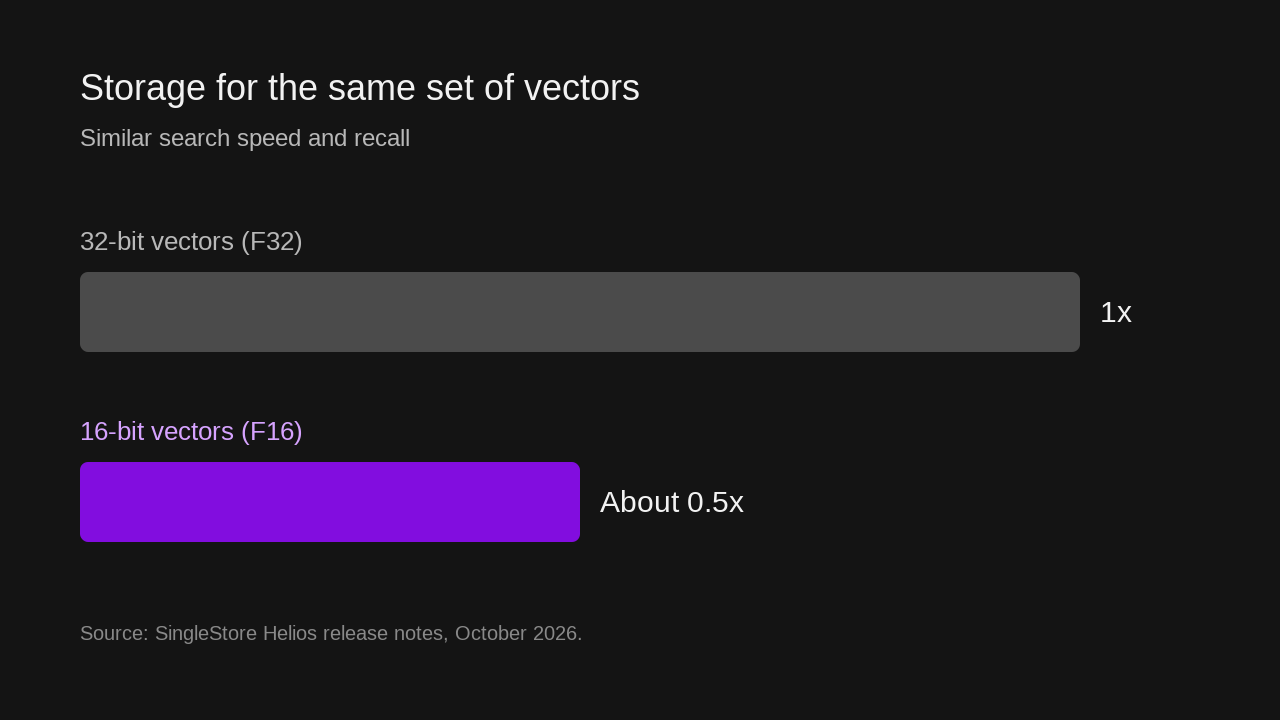
Vectors and encoded data. The new F16 vector element type stores embeddings as 16-bit floats, with ANN indexes, in about half the storage of 32-bit vectors and with similar search speed and recall. More operations also run directly on encoded columnstore data.
Production controls. Helios adds continuous backup with self-serve point-in-time recovery, plus usage forecasting. Writable views accept joins and subselects, ALTER TABLE … UNDO POPULATION cancels a running columnstore change, and the MV_MEMORY_USAGE view shows the largest memory consumers. The Fall 2026 release page lists every feature with its availability.
Attach your most-read dataset to a second cluster
Every Helios customer can use Zero Copy Cross Cluster Database Attach. Pick the database with the most readers, attach it read-only to a second cluster in the same project and region, and move one reporting workload onto that cluster. Then compare the load on the source before and after. Andrew Koller and Eric Hanson, the product managers behind the release, run the same steps live on Wednesday, Dec. 9, 2026, at 9 a.m. PT, with time for your questions. Register for the webinar.