

SingleStore vs. Databricks
Databricks is a lakehouse for data engineering, machine learning and analytics at scale. SingleStore is one distributed database for transactions, analytics and search, for serving applications and agents in milliseconds.
Comparison as of November 2026, based on Databricks’ website and documentation.
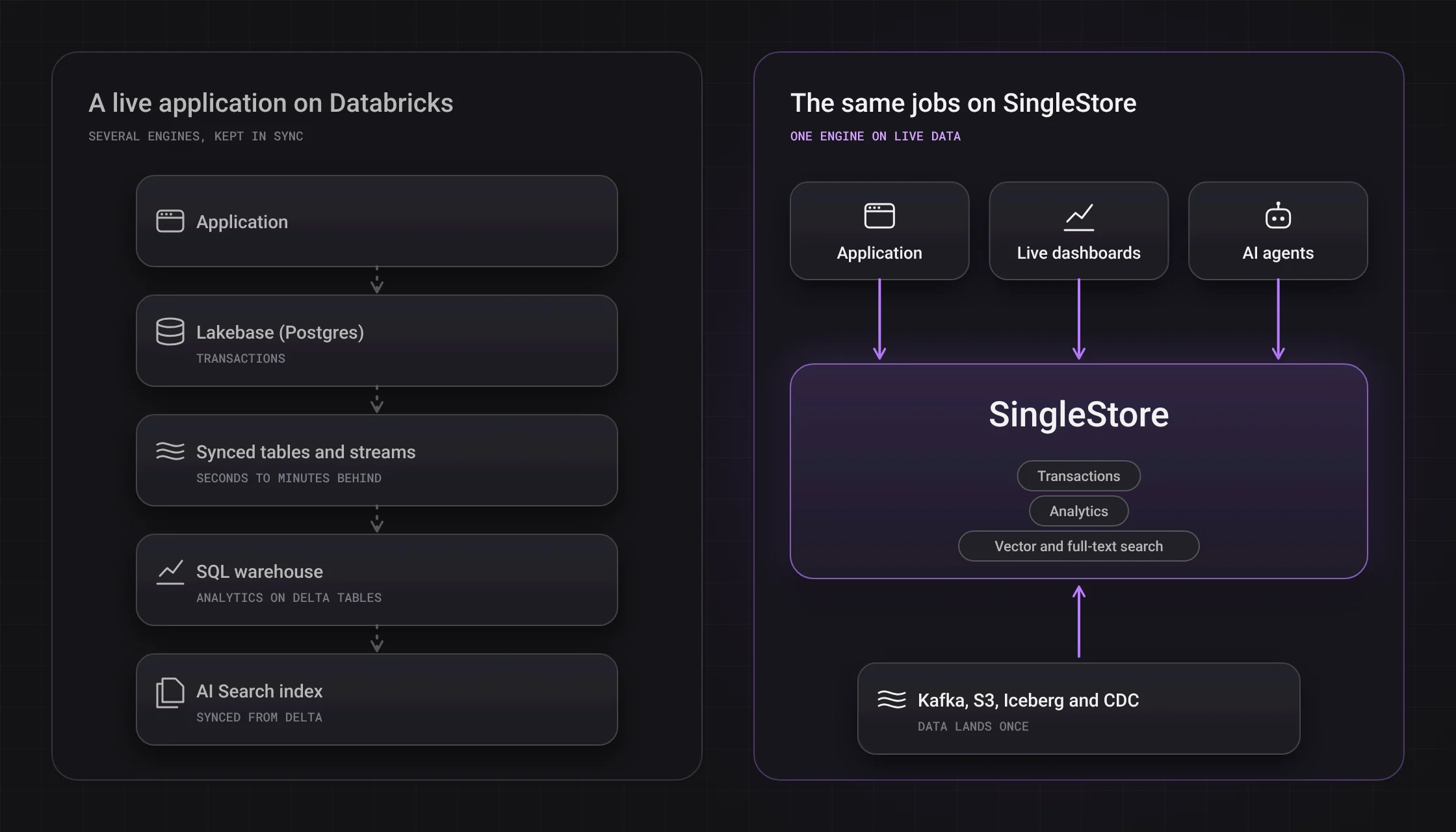
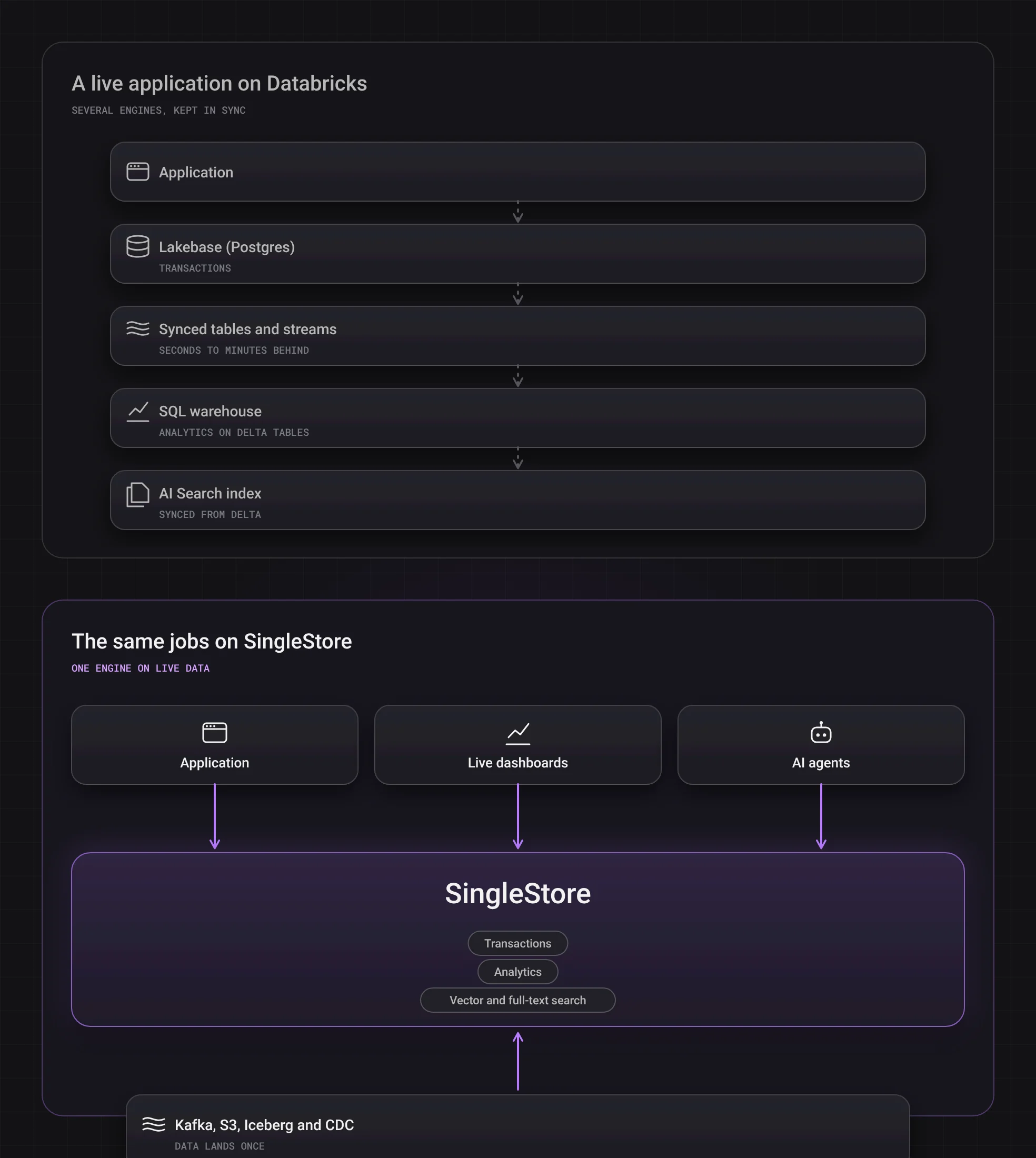
Databricks added real-time features in 2025 and 2026. These are the points where serving a live application or agent from the lakehouse still runs into trouble.
Each Databricks entry comes from the Databricks documentation or Databricks’ own announcements, listed under Sources at the end of this page.
| Capability | SingleStore | Databricks |
|---|---|---|
Core design | One distributed SQL database for transactions, analytics and search, on one copy of the data. See SingleStore Helios. | A lakehouse on Delta Lake and Apache Iceberg tables in object storage, governed by Unity Catalog, with SQL warehouses, Spark, Lakebase (managed Postgres) and AI Search. |
Scaling | Data and writes are distributed across the nodes of a cluster, with every table sharded automatically. | Compute scales separately from storage, by warehouse size and cluster count. A long-standing strength. |
Transactions | ACID transactions with enforced primary and unique keys. See Universal Storage. | ACID per Delta table, with multi-table transactions for up to 100 Unity Catalog managed tables. Lakebase adds Postgres transactions. |
Freshness | A committed write is visible to the next query, for search and analytics alike. | Real-time mode in Structured Streaming reaches sub-second latency on dedicated compute. Lakebase synced tables run at a 15-second minimum, and Lakeflow Connect CDC lands changes within a few minutes. |
Serving and concurrency | Point reads, writes and analytical queries in the same engine, for thousands of concurrent users. | Serverless warehouses start in 2 to 6 seconds. Classic and pro warehouses add a cluster per about 10 concurrent queries. Lakehouse//RT, in beta, is read-only. |
Vector and full-text search | Vector and full-text indexes on the same tables, combined with SQL filters in one query. See hybrid search. | Databricks AI Search, formerly Mosaic AI Vector Search, with hybrid search and full-text search in beta, synced from Delta tables. Lakebase Search adds BM25 in Postgres. |
SQL and drivers | ANSI SQL over the MySQL wire protocol, so SQL clients, BI tools and MySQL drivers connect directly. | Databricks SQL with JDBC and ODBC drivers, notebooks in Python, SQL and Scala, and Postgres drivers for Lakebase. |
Loading data | Pipelines load from Kafka, S3 and Apache Iceberg, including Parquet files Databricks writes. | Lakeflow Connect for managed ingestion and change data capture, plus Auto Loader and Structured Streaming. |
Pricing model | Compute billed per hour by cluster size, from $0.99 an hour on Standard, plus storage. A free Shared cluster for development. See pricing. | Pay-as-you-go Databricks Units, billed per second, at rates that vary by product, cloud and region. |
Certifications | ISO 27001 and SOC 2 Type 2. See the Security and Trust Center. | SOC 2 Type II and ISO 27001. HIPAA, PCI DSS and HITRUST need the Compliance Security Profile. |
Accurate at the time of publication, November 2026. Databricks ships new features often, so confirm current capabilities, availability and pricing on databricks.com and in the Databricks documentation. Sources for each Databricks entry are listed at the end of this page. Spotted something out of date? Tell us.
Databricks runs only as a cloud service. SingleStore runs as a cloud service or in an environment you control.
| Where it runs | SingleStore | Databricks |
|---|---|---|
Managed cloud service | SingleStore Helios® on AWS, Azure and Google Cloud. | Databricks on AWS, Azure and Google Cloud, with serverless compute in Databricks’ account. |
Your own data center | SingleStore Self-Managed, in single-node or multi-node clusters. | No self-managed edition. |
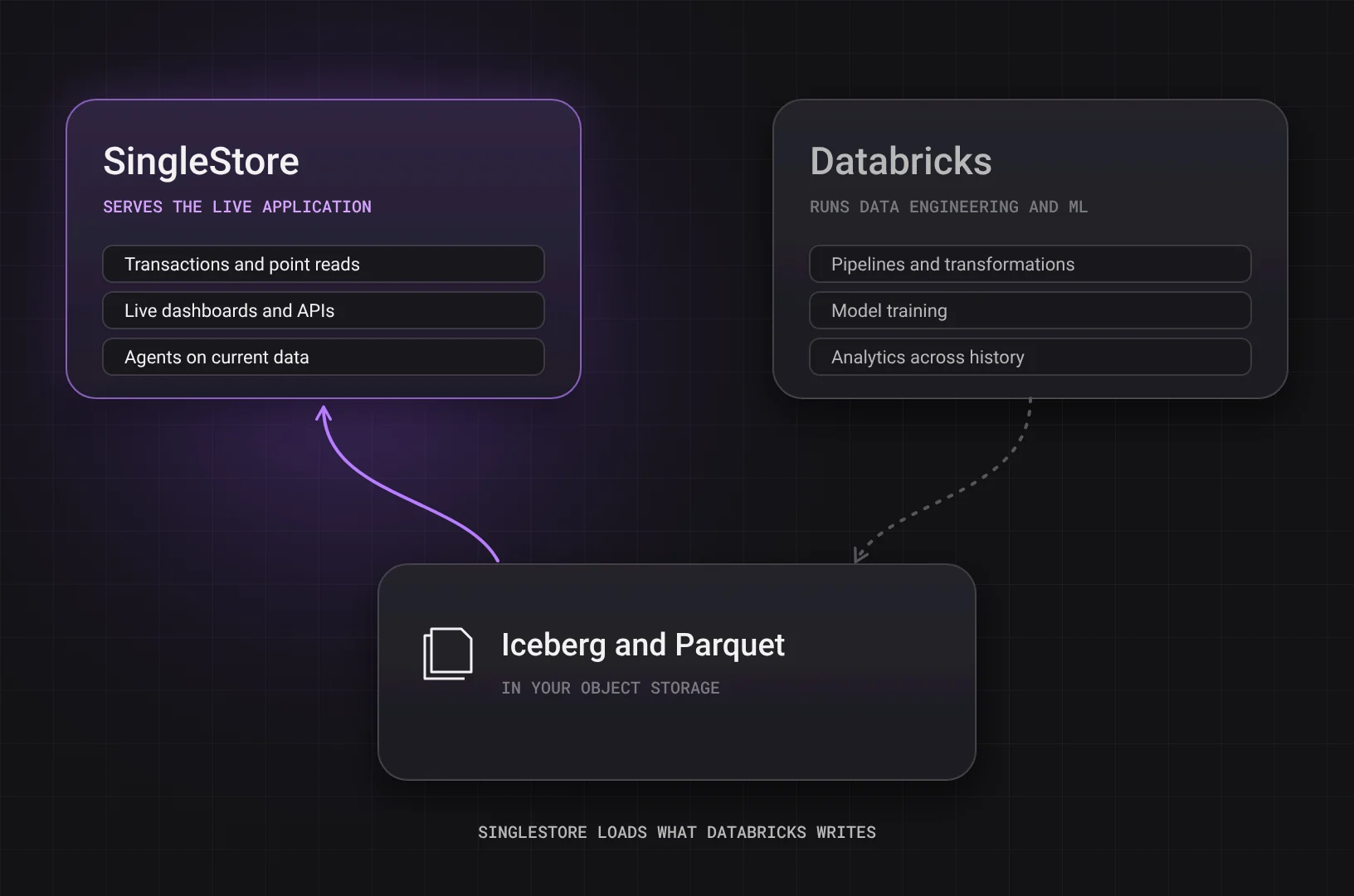
Many teams keep Databricks for data engineering, machine learning and analytics across history, and use SingleStore to serve the results to applications and agents.
Databricks writes Parquet files and Iceberg tables to object storage. SingleStore Pipelines load them continuously, and live data from Kafka and change data capture lands in the same tables.
More than it did. Real-time mode in Structured Streaming is generally available, and Lakehouse//RT is in beta for low-latency reads. A live application still spans Lakebase, a warehouse, AI Search and the pipelines between them, which SingleStore handles in one engine.
Lakebase is managed Postgres, generally available on AWS and Azure in 2026, for transactions inside Databricks. Analytics still run in SQL warehouses on Delta tables, with synced tables in between. SingleStore runs transactions and analytics on the same tables.
Yes. Pipelines load Parquet files from object storage, and SingleStore loads Apache Iceberg tables, so it can serve data that Databricks prepares.
No. Teams that use both keep Databricks for data engineering and machine learning, and use SingleStore to serve applications and agents.
For many concurrent, low-latency queries from an application, SingleStore is built for the job, and RightSense went from 24 hours to 1 second. For large batch transformations and model training, Databricks is the better tool. The fair test is your own workload, so talk to an engineer about it.
It reflects both products as of November 2026, including the features Databricks announced in June 2026. Check the Databricks documentation for changes since then, and tell us if something here is out of date.
Databricks source documentation: databricks.com, Databricks documentation, Lakebase synced tables, Lakehouse//RT, Lakehouse//RT announcement, LTAP announcement, SQL warehouse behavior, start in 2 to 6 seconds, architecture, AWS, Azure and Google Cloud, Lakebase, multi-table transactions, Real-time mode, Lakeflow Connect CDC, Databricks AI Search, synced from Delta tables, Lakebase Search, Databricks Units, SOC 2 Type II and ISO 27001.

Bring the query your app waits on.
See it run on SingleStore.
Talk to an engineer about your workload, or start free on a Shared cluster.