This guide explains how to integrate SingleStore with Django step by step. It covers installation, configuration and known limitations, and includes a complete example: building a simple Polls app, following the official Django tutorial as a foundation.
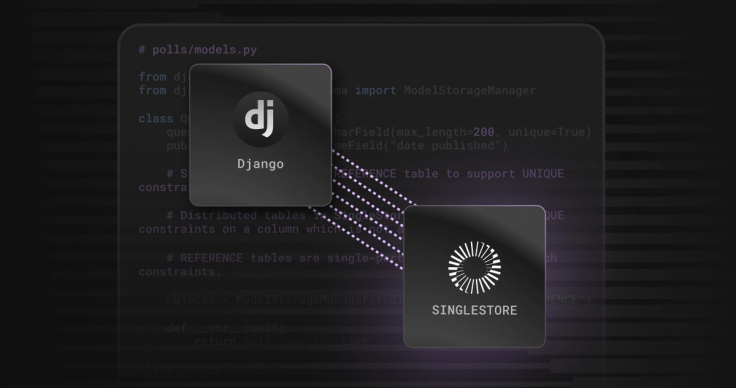
Along the way, you’ll learn how to connect Django 4.2 to a SingleStore cluster, configure settings, handle migrations and adjust models to fit SingleStore’s distributed architecture.
Compatibility
Django: 4.2
- Python: 3.9+
Installation
Install the SingleStore Django backend (django-singlestore on PyPI):
From PyPi:
1pip install django-singlestore
From source (latest development version):
1pip install git+https://github.com/singlestore-labs/django-singlestore
Tutorial: Building a Polls App with SingleStore
We’ll use the official Django Polls tutorial as a foundation, but configure it to run on SingleStore.
Step 1: Start a new Django project
1django-admin startproject singlestore_poll_project2cd singlestore_poll_project3python manage.py startapp polls4
Step 2: Update settings.py
To connect your Django application to your SingleStore cluster, you’ll need:
Host: IP address or hostname of your SingleStore cluster
Port: Default is 3306
User: SingleStore database username (e.g., admin)
Password: Database user password
- Name: SingleStore database name
1# settings.py2
3DATABASES = {4    "default": {5        "ENGINE": "django_singlestore",6        "HOST": "<your database server address>",7        "PORT": 3306,8        "USER": "<your database user>",9        "PASSWORD": "<your database user's password>",10        "NAME": "<database name>",11    },12}13
14# Required settings15USE_TZ = False  # SingleStore does not support timezone-aware datetime16
17Add polls to the installed apps:18INSTALLED_APPS = [19    ...20    "polls",21]22
Step 3: Environment variables for default Django apps
For Django core apps like auth, set the storage type to REFERENCE for compatibility:
1export DJANGO_SINGLESTORE_TABLE_STORAGE_TYPE_AUTH="ROWSTORE REFERENCE"2export DJANGO_SINGLESTORE_TABLE_STORAGE_TYPE_ADMIN="ROWSTORE REFERENCE"3export DJANGO_SINGLESTORE_TABLE_STORAGE_TYPE_CONTENTTYPES="ROWSTORE REFERENCE"4export DJANGO_SINGLESTORE_TABLE_STORAGE_TYPE_SITES="ROWSTORE REFERENCE"5
Step 4: Create models
1# polls/models.py2
3from django.db import models4from django_singlestore.schema import ModelStorageManager5
6class Question(models.Model):7    question_text = models.CharField(max_length=200, unique=True)8    pub_date = models.DateTimeField("date published")9
10    # Store as REFERENCE to allow UNIQUE constraint11    objects = ModelStorageManager(table_storage_type="REFERENCE")12
13    def __str__(self):14        return self.question_text15
16
17class Choice(models.Model):18    question = models.ForeignKey(Question, on_delete=models.CASCADE)19    choice_text = models.CharField(max_length=200)20    votes = models.IntegerField(default=0)21
22    def __str__(self):23        return self.choice_text
📖 More details: see Unique Keys Constraints in django-singlestore.
Step 5: Apply Migrations
If you’re using SingleStore Helios or want to avoid multi-statement transaction errors with REFERENCE tables:
1export DJANGO_SINGLESTORE_SKIP_AUTOCOMMIT=12python manage.py makemigrations3python manage.py migrate
Step 6: Admin registration (optional)
1# polls/admin.py2
3from django.contrib import admin4from .models import Question, Choice5
6admin.site.register(Question)7admin.site.register(Choice)
Step 7: Many-to-many example with custom through table
1# polls/models.py2
3class Topic(models.Model):4    name = models.CharField(max_length=50)5    question = models.ManyToManyField("Topic", through="QuestionTopic")6
7
8class QuestionTopic(models.Model):9    question = models.ForeignKey(Question, on_delete=models.CASCADE)10    topic = models.ForeignKey(Topic, on_delete=models.CASCADE)11
12    class Meta:13        unique_together = (("question", "topic"),)14        db_table = "polls_question_topic"15        managed = False
Before migrating, manually create the table in SingleStore:
1CREATE TABLE polls_question_topic (2 question_id BIGINT NOT NULL,3 topic_id BIGINT NOT NULL,4 SHARD KEY (question_id),5 UNIQUE KEY (question_id, topic_id),6 KEY (question_id),7 KEY (topic_id)8);
Run migrations:
1python manage.py makemigrations2python manage.py migrate
Note: If a migration fails and leaves behind partially created tables, you’ll need to manually drop them before reapplying. This is because SingleStore implicitly commits DDL statements.
Next Steps
You now have a Django project running on SingleStore, with models, migrations and an example Polls app. From here, you might want to:
Explore the django-singlestore README for details on unique constraints, table storage types and advanced configuration.
Try more complex models (e.g., many-to-many relationships, larger datasets) to test SingleStore’s distributed performance.
Benchmark queries against SingleStore to understand the benefits of its real-time analytics engine.
Deploy to production by connecting your Django app to a managed cluster on SingleStore Helios.
With the basics in place, you can start building and scaling Django apps that take advantage of SingleStore’s speed and distributed architecture.
Frequently Asked Questions