Few terms in enterprise security have been stretched further than "zero trust." It appears in vendor marketing, regulatory guidance, and board-level frameworks - sometimes all meaning different things. At its most diluted, zero trust has become synonymous with "we take security seriously," which is to say it has come to mean very little.
The original concept, defined in NIST SP 800-207, is precise and useful: assume that any network, device, or user could already be compromised, and therefore never grant access based on location or prior authentication alone. Verify every access attempt. Limit what each identity can reach. Protect the data even if everything else fails.
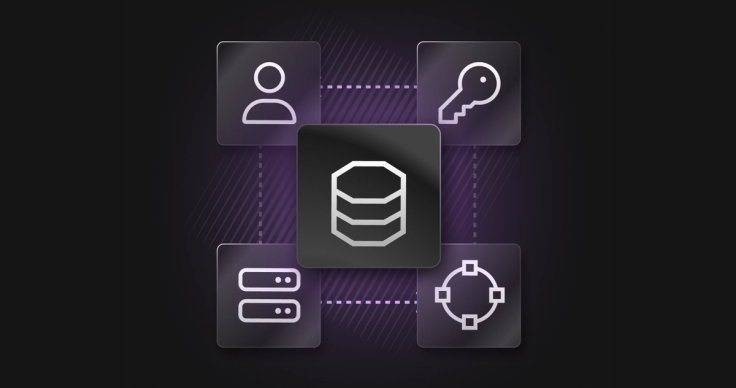
Applied to cloud database security, zero trust security translates into four concrete domains: identity verification, access control, network restriction, and data protection. This article walks through each one with specific controls - because a vendor should be able to show you, not just tell you.
Pillar 1 - Identity: Verify Every Access Attempt
Zero trust starts with the assumption that credentials can be stolen. The response is to make stolen credentials insufficient on their own - by requiring multiple factors, limiting credential lifetime, and eliminating static passwords wherever possible.
How SingleStore Helios implements identity verification
- Short-lived tokens: Portal sessions are backed by short-lived tokens, not persistent credentials. There are no long-lived session cookies that survive indefinitely.
- Mutual TLS (mTLS): Database clients can be required to present X.509 certificates during the TLS handshake. Connections that fail certificate validation are rejected before any password or token is evaluated.
- JWT-based authentication: Database and API access can be authenticated with JSON Web Tokens (RFC 7519) issued by your identity provider. Short-lived by design, cryptographically signed, and verifiable without a round-trip to a credential store.
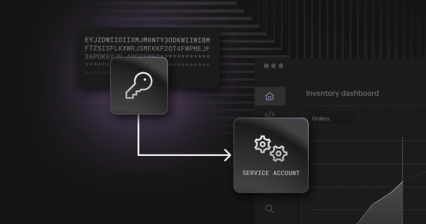
- Cloud IAM integration: Service accounts authenticate using short-lived tokens from AWS IAM, Azure AD, or GCP IAM - no static database passwords, with automatic credential rotation and revocation.
- Workload identity: Attested JWT tokens with fine-grained principals scoped to each workspace group authenticate SingleStore’s access to customer-owned resources outside SingleStore’s cloud accounts. S3 pipelines, Iceberg tables, and Kafka streams can be reached without static credentials stored on either side.
- MFA enforcement: Portal access enforces MFA by default. For SSO users, IdP-level MFA and conditional access policies apply. An optional Enforce MFA toggle adds Helios-native MFA on top.
Pillar 2 - Access: Grant Only What Is Needed
Verifying identity is necessary but not sufficient. Zero trust also requires that each verified identity receives only the access it actually needs - and that access is reviewed, audited, and revoked promptly when no longer appropriate.
Portal RBAC | Role-based access control governs the administrative portal across a hierarchy: organization - workspace groups - workspaces - databases. See the SingleStore RBAC documentation for full role grant and privilege definitions. |
Database RBAC | The database engine implements RBAC with users, roles, groups, and privileges. A role can have multiple privileges. A group can contain multiple roles and users. Users inherit all permissions from the groups they belong to. |
Row-Level Security | For fine-grained data access control within tables, Row-Level Security restricts which rows a given user can read based on their roles - implemented via a roles-list column and a SECURITY_LISTS_INTERSECT view filter. |
JIT Access | Privileged access to SingleStore Helios cloud accounts is managed via Just-in-Time provisioning through Okta Identity Governance. Access requires manager approval, is time-limited, and is automatically revoked at expiration. All requests are logged. |
The distinction between portal RBAC and database RBAC is worth understanding clearly. Portal RBAC governs administrative actions. Database RBAC governs data access. Both are required for a complete access control posture, and neither substitutes for the other.
Pillar 3 - Network: Restrict Traffic to Approved Paths
A zero trust network architecture treats the network itself as untrusted. Traffic is permitted only from explicitly approved sources, over encrypted channels, with no assumption that being "inside" a network boundary grants access.
Network controls in SingleStore Helios
- Private connectivity: AWS PrivateLink, Azure Private Link, and Google Private Service Connect are all supported. Traffic between your environment and SingleStore never traverses the public internet, creating a microperimeter around the application, service, and database layers where only authorised endpoints can transmit.
- Administrative access controls: SRE access to the control plane requires certificate-based VPN connectivity plus a bastion host. Elevated access requires MFA, and all connectivity to customer environments is logged for audit. Multi-person approval workflows apply to just-in-time access requests.
Pillar 4 - Data: Protect It Even if Everything Else Fails
Zero trust treats data as the last line of defense - not just a resource to protect, but something that must remain unreadable even to an attacker who has compromised the network and obtained valid credentials.
Encryption across the data lifecycle
- At rest - platform-managed: AES-256 encryption using cloud-managed KMS keys (AWS, Azure, or GCP). Applies to both block storage and object storage. Active by default.
- At rest - customer-managed (CMEK): Enterprise edition customers can supply their own Key Encrypting Key via AWS KMS, Azure Key Vault, or GCP KMS. If the KEK is revoked, data becomes inaccessible to anyone, including SingleStore.
- In transit: TLS 1.2 or above for all connections - client connections, internal leaf-node traffic, and object storage transfers. There are no plaintext paths.
- mTLS at the transport layer: Mutual TLS requires both client and server to authenticate with certificates. Connections that do not present acceptable certificates are rejected during the TLS handshake, before any password or token is evaluated.
The Questions That Separate Architecture From Marketing
The next time a vendor tells you they support zero trust, here are the questions that will reveal whether it is an architecture or a branding decision:
- On identity: Can service accounts authenticate without static passwords? What is the maximum lifetime of an authentication token? Can certificates be required for specific database users?
- On access: Is least-privilege enforced at the data layer as well as the portal? Does row-level access control exist? How is privileged access provisioned and revoked?
- On network: Is traffic restricted by default or by configuration? Is private connectivity available without an enterprise tier? Is the management API separately protectable?
- On data: Who holds the encryption keys? Can you revoke access to your own data independently of the vendor? Is encryption active on day one without configuration?
A vendor with a genuine zero-trust architecture will have direct, specific answers to all of them. The CISA Zero Trust Maturity Model provides a useful independent framework for scoring vendor responses.
Download the Full SingleStore Helios Cloud Security Whitepaper
The SingleStore Helios Cloud Security White Paper covers the complete security architecture in depth - including platform architecture, network security, identity and access management, cryptography, logging and monitoring, SDLC practices, and incident management.
This Article Is Part of a Series
Enterprise Security with SingleStore Helios - 7 articles exploring every layer of cloud database security.
1 | |
2 | |
3 | Zero Trust Isn't a Checkbox [You are here] |
4 | |
5 | |
6 | |
7 |
Questions about security on SingleStore Helios? Contact security@SingleStore.com